 ultimate-guide
Website Accessibility Audit for Canadian Businesses
Table of Contents
- What a Website Accessibility Audit Is
- Canadian Accessibility Laws and Standards
- Website Accessibility Testing Tools and Methods
- Building Your Website Accessibility Audit Checklist
- Understanding Your Accessibility Audit Report Template
- Website Accessibility Remediation and Next Steps
- Ongoing Monitoring and Compliance
- Frequently Asked Questions
Last Updated: October 12, 2026
What a Website Accessibility Audit Is
A website accessibility audit is a systematic evaluation of your digital properties to identify barriers that prevent people with disabilities from accessing your content, navigating your site, and completing transactions.
The audit examines how screen readers interpret your pages, whether keyboard users can navigate without a mouse, if colour contrast meets readability standards, and whether forms work for assistive technology users.
Most businesses discover accessibility issues they never knew existed.
Canadian Accessibility Laws and Standards
Your accessibility obligations depend on who regulates your organization and where you operate. Use the decision path below.
Step 1: Are you federally regulated? If your organization is a bank, an airline, a telecommunications carrier, an interprovincial trucking or rail company, or another federally regulated private or public sector entity, the Accessible Canada Act (ACA) applies.
Step 2: If not federal, which province are you in? Provincial law governs most businesses, and the frameworks are not uniform:
- Ontario: The AODA sets web accessibility requirements through the Integrated Accessibility Standards Regulation. Organizations with 50 or more employees must meet WCAG 2.0 Level AA for their websites and web content, and must file accessibility compliance reports. Smaller organizations have narrower obligations but still face customer service standards.
- Manitoba: The Accessibility for Manitobans Act applies to public sector bodies and to private sector organizations that receive provincial funding or operate under provincial licence. Standards are being phased in by area.
- Nova Scotia: The Accessibility Act sets a goal of an accessible province by 2030 and applies to public sector bodies and to private sector organizations above a defined size threshold, with standards introduced by sector.
- British Columbia: The Accessible British Columbia Act applies to the provincial public sector and to prescribed organizations. It requires accessibility plans, feedback mechanisms, and annual progress reporting.
- Quebec: The Act to secure handicapped persons in the exercise of their rights provides a complaints-based framework, and public bodies must produce accessibility plans. Obligations differ from the AODA model.
- Alberta, Saskatchewan, New Brunswick, Newfoundland and Labrador, Prince Edward Island: These provinces rely on human rights legislation and, in some cases, public sector accessibility policies rather than a standalone web accessibility statute. Human rights duties still apply to service delivery.
Step 3: Do human rights duties apply regardless? Yes. Every province and territory prohibits discrimination in the provision of services on the basis of disability.
Step 4: What technical standard do you target? The ACA and the AODA reference WCAG, and most Canadian organizations target WCAG 2.1 Level AA as the practical benchmark.
Sector-specific obligations: Even where a general accessibility statute does not apply, sector regulators may impose their own requirements. Financial institutions, insurers, and utilities often face accessibility expectations through their regulator, while educational institutions and health care providers have accommodation duties under their governing legislation. Check the regulator's guidance in addition to the provincial framework.
Website Accessibility Testing Tools and Methods
Effective audits combine automated scanning with manual testing.
What automated testing can and cannot do
Automated scanners reliably detect missing alt attributes, insufficient colour contrast, empty form labels, duplicate IDs, and broken heading hierarchies.
Manual testing methods
- Keyboard-only navigation: Unplug the mouse and tab through every interactive element. Can you reach every link, button, form field, and menu item? Is the focus indicator always visible? Can you escape every modal and dropdown? Keyboard traps are among the most common serious failures.
- Screen reader testing: Test with NVDA (free, Windows) and VoiceOver (built into macOS and iOS). JAWS remains common in enterprise and government settings. Listen to how headings, landmarks, form labels, and dynamic content are announced. Verify that status messages and error alerts are announced without moving focus.
- Screen magnification and reflow: Test at 200% and 400% zoom. Content must reflow without horizontal scrolling at 320 CSS pixels wide, and text must remain readable when spacing is increased.
- Colour and contrast analysis: WCAG AA requires a 4.5:1 contrast ratio for normal text and 3:1 for large text and graphical objects. Check hover, focus, and disabled states, not just default states.
- Motion and timing: Verify that users can pause, stop, or hide moving content, and that time limits can be extended or turned off.
Testing complete user journeys, not just pages
Page-by-page checks miss barriers that only appear across a flow. Test the tasks your customers actually perform:
- Account creation and login: Can a screen reader user complete registration, receive and act on a verification email, and recover a forgotten password?
- Search and filtering: Are result counts announced? Do filters update without losing focus?
- Forms and checkout: Are errors identified in text, associated with the right field, and announced? Is the payment step completable by keyboard alone?
- Booking and scheduling: Do date pickers work without a mouse? Are available times announced?
- Support and contact: Is the contact form reachable, and is an alternative channel offered?
Assistive technology combinations to include
Test at least one screen reader with one browser on desktop, and one mobile screen reader with its native browser.
Documenting method and coverage
Record which tools, browsers, assistive technologies, and user journeys you tested, and note limitations such as features behind authentication that were out of scope.
Building Your Website Accessibility Audit Checklist
A structured checklist ensures you don't miss critical areas. Your audit scope determines what you evaluate.
Define your scope first: Which digital properties are you auditing? Your main website? Mobile apps? Customer portals? PDF documents? Email templates? The broader your scope, the larger your remediation effort.
Core audit areas:
- Images and media: Every image needs alternative text describing its content and purpose. Decorative images need empty alt attributes. Videos need captions and transcripts.
- Forms and inputs: Each form field needs a label. Error messages must be clear. Instructions must be understandable without colour alone.
- Navigation and structure: Headings must follow logical order (H1, then H2s, not H1 to H3). Navigation must work with keyboard and screen reader. Skip links help users bypass repetitive content.
- Colour and contrast: Text must have sufficient contrast against its background. Don't rely on colour alone to convey information.
- Links and buttons: Link text must describe where it goes. Buttons must have accessible names. "Click here" is not descriptive.
- Tables: Data tables need headers, captions, and proper markup so screen readers can interpret rows and columns.
- Interactive components: Dropdowns, modals, accordions, and sliders must work with keyboard and announce state changes to assistive technology.
- PDF documents: PDFs must be tagged, have proper structure, and be readable by screen readers, or converted to HTML.
Document findings systematically: the specific page, the element, the WCAG criterion violated, and the severity (critical, major, minor). This structure becomes your remediation roadmap.
Understanding Your Accessibility Audit Report Template
A professional audit report translates findings into action: what's broken, why it matters, and how to fix it.
Executive summary: A one-page overview for decision-makers: how many issues were found, the severity distribution, the business impact, and the estimated remediation effort.
Remediation recommendations: Prioritize by impact and effort. Critical issues affecting core functionality come first.
Scope and methodology: Explain what you tested, which tools you used, and which pages you evaluated.
Timeline and resource estimate: How long will remediation take, and which issues need developer time, content updates, or design review?
A good report doesn't just list problems. It explains why accessibility matters to your business: legal compliance, expanded audience reach, improved SEO, and better user experience for everyone.
Website Accessibility Remediation and Next Steps
Identifying issues is half the work. Fixing them is where real change happens.
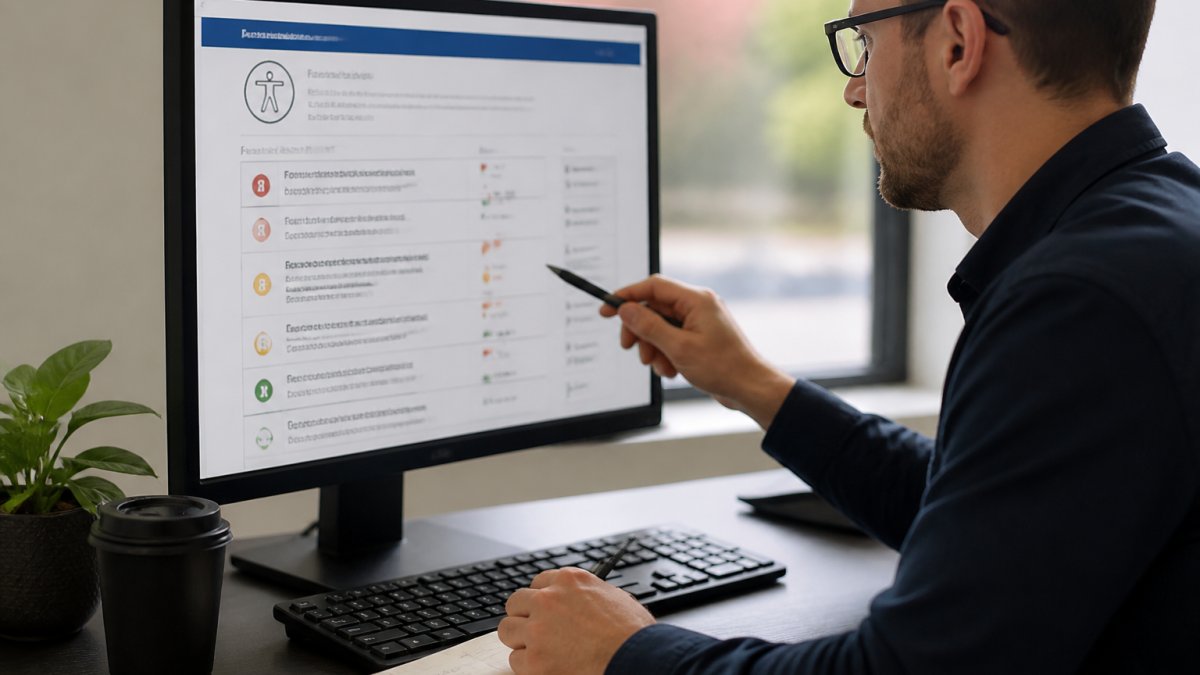
Prioritization framework: Start with critical issues that block access entirely, missing form labels, broken keyboard navigation, inaccessible PDFs.
Assign ownership: Accessibility isn't a one-time project; it's an ongoing practice.
Remediation process: For each issue, determine the fix.
Testing after fixes: Don't assume a fix worked. Re-test with screen readers and keyboard navigation.
Communication: Keep stakeholders informed. Show progress. Celebrate wins. Accessibility work takes time, and teams need to see momentum.
Ongoing Monitoring and Compliance
Accessibility isn't a destination; it's a practice. Code changes, new content gets added, and new barriers emerge.
Continuous testing: Integrate accessibility checks into your development workflow.
Content governance: Train your team.
User feedback: Listen to your users. If someone reports an accessibility barrier, treat it seriously, fix it quickly, and thank them.
Annual audits: Schedule a full audit annually to measure progress and identify new issues. Compare against previous years.
Accessibility compliance isn't about passing a test. It's about ensuring your digital presence works for everyone.
Building a defensible digital presence means addressing accessibility rigorously.
Frequently Asked Questions
What is included in a website accessibility audit?
A website accessibility audit evaluates your digital properties against WCAG 2.1 standards and applicable Canadian legislation. It includes manual testing of user workflows, automated scanning for common barriers, assistive technology testing with screen readers, keyboard navigation assessment, colour contrast verification, form functionality, and captions or transcripts for multimedia. The audit scope covers all public-facing pages, user journeys, and interactive elements. Results identify specific failures, their impact on users, and remediation priorities.
How do you audit a website for accessibility?
A thorough audit combines automated tools and manual testing. Automated scanners identify obvious issues like missing alt text or low colour contrast. Manual testing evaluates keyboard-only navigation, screen reader compatibility, form labels, and logical heading structure. Testers use assistive technology to experience your site as disabled users do. The audit also assesses your audit scope, which pages, user roles, and devices matter most, then documents findings against WCAG criteria, prioritizes by severity and user impact, and recommends corrective actions with effort estimates.
Which accessibility standards should a website audit assess?
Your audit should evaluate conformance to WCAG 2.1 (Web Content Accessibility Guidelines), the international standard referenced in Canadian legislation. The AODA (Accessibility for Ontarians with Disabilities Act) and the ACA (Accessible Canada Act) both require WCAG 2.1 Level AA conformance for federally regulated organizations and public-sector bodies. Depending on your province and sector, your audit may also need to address provincial accessibility standards. A professional audit clarifies which conformance level applies to your organization and tests against that baseline.
What should a business do after receiving an accessibility audit report?
Prioritize remediation by severity, user impact, and effort. Start with barriers that affect the most users or block critical workflows. Work through your website accessibility remediation in phases: fix the highest-impact issues first, test fixes with assistive technology, retrain your team on accessible design practices, and document changes. Assign ownership for ongoing monitoring. Many organizations benefit from a remediation roadmap that sequences fixes across quarters, assigns responsibility, and includes retesting to confirm corrections work.
Can automated tools identify all website accessibility issues?
No. Automated accessibility testing tools catch obvious technical failures, missing alt text, missing form labels, low colour contrast, but miss user experience problems. Only manual testing with assistive technology reveals whether screen readers announce content logically, whether keyboard users can navigate intuitively, or whether form instructions are clear. Automated scanners also generate false positives. A complete audit combines both methods: automated tools for speed and consistency, manual testing for real-world usability and user impact.
How often should a website be audited for accessibility?
Initial audits establish your baseline and compliance gaps. After remediation, conduct retesting to confirm fixes work. Ongoing monitoring should happen whenever you redesign pages, add features, update content management systems, or change third-party integrations. Many organizations audit annually or after major releases. If your organization is federally regulated or public-sector, compliance deadlines under the ACA may dictate audit timing. Continuous monitoring systems can flag new issues between formal audits.
When should a business hire a professional accessibility auditor?
Hire a professional auditor if your website is complex, your organization is federally regulated or public-sector, you serve a diverse user base, or you lack in-house expertise in WCAG standards and assistive technology testing. Professional auditors bring defensible methodology, detailed reporting, and remediation roadmaps. They also clarify which Canadian laws apply to your situation and help prioritize fixes by legal risk and user impact. If you've already received complaints or accessibility notices, professional guidance protects your organization and accelerates remediation.