 how-to
Reducing Website Maintenance Complexity for Teams
Table of Contents
- Why Website Maintenance Complexity Keeps Growing
- Managing Technical Debt in Enterprise Websites
- Website Maintenance Best Practices for Teams
- Website Maintenance Automation Tools That Reduce Overhead
- A Practical Website Maintenance Checklist for Operational Teams
- Security, Performance, and Compliance as a Maintenance Cadence
- How to Build a Sustainable Maintenance Plan Your Team Will Actually Follow
- Frequently Asked Questions
Last Updated: August 23, 2026
Why Website Maintenance Complexity Keeps Growing
Website maintenance complexity is an organizational problem, not a technology one. As sites grow beyond simple brochures, they accumulate dependencies: plugins, integrations, third-party APIs, content workflows, and compliance obligations that compound with each cycle. Mid-market teams often don't notice until something breaks publicly.
Organizations that launched clean, well-structured sites years ago now manage tangled dependencies, undocumented customizations, and monitoring gaps. The site works fine until a security patch breaks a plugin or a core web vitals regression tanks organic traffic.
The driver is software lifecycle reality. Every component has its own release cadence, deprecation schedule, and compatibility matrix. As your stack grows, potential conflict points grow exponentially. Add team turnover and shifting priorities, and you have a fragile system by design.
Reducing website maintenance complexity starts with acknowledging that complexity is technical debt. According to the Canadian Centre for Cyber Security's guidance on software lifecycle management, unpatched and unmanaged software environments are among the most common vectors for operational disruption. The solution is a disciplined operational framework, not more tools.
Managing Technical Debt in Enterprise Websites
Technical debt accumulates faster than most teams realize. Every deferred update, undocumented workaround, and integration built without a rollback plan adds to a balance that eventually demands payment, usually at the worst moment.
Identifying and Prioritizing Maintenance Debt
Technical debt manifests as outdated plugin versions, deprecated API endpoints, expired SSL certificates, and broken link chains nobody has audited in months. The first step is a structured audit mapping every dependency: CMS core version, plugin versions, third-party integrations, hosting configuration, and custom code. Assign each item a risk score based on how out-of-date it is and what breaks if it fails.
Prioritize debt in this sequence:
- Security vulnerabilities and expired SSL certificate renewal
- Broken integrations affecting user-facing functionality
- Performance regressions visible in core web vitals data
- Compliance gaps against applicable standards
- Documentation deficits that block team continuity
Security and uptime failures have immediate consequences. Documentation debt is serious but recoverable.
Maintenance-as-Code: Treating Upkeep Like a Software Discipline
Maintenance-as-Code (MaC) defines, versions, and automates maintenance tasks using software development principles: version control, automated testing, deployment workflows, and documented rollback procedures. Most teams treat maintenance as a checklist item; MaC treats it as a first-class engineering concern.
In practice, maintenance tasks live in a repository alongside your codebase. Automated backups are scripted and tested. Database optimization runs on schedule with logged output. SSL certificate renewal triggers alerts 30 days before expiry. Vulnerability scanning runs on every deployment.
Teams with strong DevOps culture have a significant advantage. If your organization uses CI/CD pipelines, extending them to cover maintenance is a natural evolution.
Website Maintenance Best Practices for Teams
The biggest mistake is treating maintenance as a solo responsibility. One developer, one sysadmin, one "person who knows the site" creates single points of failure that become crises when that person leaves.
Building a Team-Based Workflow That Scales
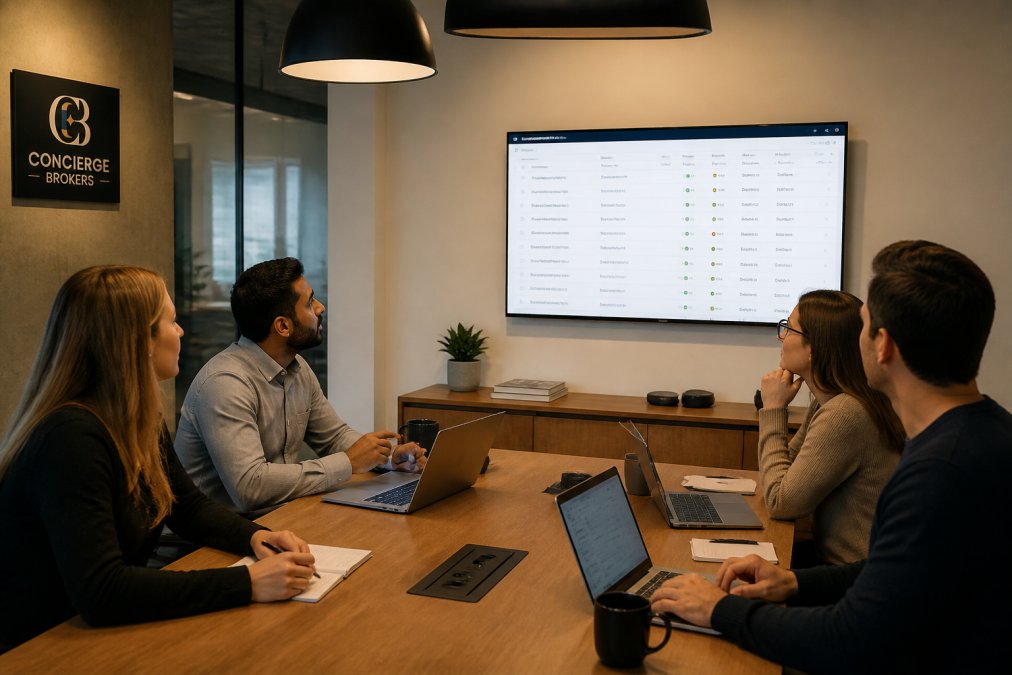
Effective team-based maintenance requires clear role assignment, shared tooling, and a documented escalation path. Every maintenance task needs a named owner and backup. Uptime tracking alerts go to two people, not one. Database optimization requires review, not just execution.
Shared tooling matters because tribal knowledge is a liability. When maintenance tasks live in one person's head, the team cannot audit, reproduce, or improve the process. Every tool, script, and configuration should be accessible through a shared repository or documented runbook.
Escalation paths define what happens when something goes wrong outside business hours. Incident response should not depend on who is online. Define severity tiers, response time expectations, and decision authority before you need them.
Documenting Maintenance Workflows for Accountability
Undocumented workflows are operational risk. Effective maintenance documentation has four components:
- Task definition: What the task is, why it exists, and what it affects
- Execution steps: Precise, reproducible instructions including tool versions and parameters
- Expected output: What success looks like, including specific metrics or log outputs
- Rollback procedure: What to do if the task produces unexpected results
Documentation should live where the team actually works. If your team operates in a project management system, maintenance runbooks belong there. Version control for documentation is as important as version control for code.
Website Maintenance Automation Tools That Reduce Overhead
Automation eliminates human effort for deterministic, repeatable, low-risk tasks. The goal is not to eliminate human judgment but to eliminate unnecessary manual work.
Categories where automation delivers clear return:
- Automated backups: Scheduled, versioned, and tested
- Uptime tracking: Real-time alerts with defined response thresholds
- Vulnerability scanning: Automated checks on every deployment
- Broken link checking: Scheduled crawls that flag 404s before they affect users
- SSL certificate renewal: Automated renewal with advance alerting
- Performance monitoring: Continuous core web vitals tracking with regression alerts
- Database optimization: Scheduled maintenance with logged execution
Website maintenance automation tools fall into three categories: platform-native tools built into your CMS or hosting, standalone monitoring services, and custom scripts managed through deployment workflows. Many teams use a combination.
Selection criteria: does this tool produce auditable output? Can the team access and interpret that output without the person who configured it? If not, the tool adds complexity rather than reducing it.

A Practical Website Maintenance Checklist for Operational Teams
Use this checklist as a baseline. Adjust frequency based on traffic volume, update cadence, and compliance obligations.
| Task | Frequency | Owner | Automated? |
|---|---|---|---|
| Automated backup verification | Daily | DevOps | Yes |
| Uptime tracking review | Daily | Operations | Yes |
| SSL certificate status check | Weekly | DevOps | Yes (alert 30 days prior) |
| Broken link scan | Weekly | Content/Dev | Yes |
| Plugin and dependency updates | Bi-weekly | Development | Partial |
| Core web vitals review | Monthly | Digital Strategy | Yes |
| Vulnerability scanning report | Monthly | Security/DevOps | Yes |
| Database optimization | Monthly | DevOps | Yes |
| Disaster recovery test | Quarterly | DevOps + Operations | Partial |
| Full security audit | Quarterly | Security | No |
| Content audit and broken redirect check | Quarterly | Content | No |
| Load testing | Semi-annually | Development | Partial |
| Compliance standards review | Annually | Legal + Digital | No |
| Browser caching and minification audit | Annually | Development | No |
| API integration monitoring review | Monthly | Development | Yes |
Every item represents a failure mode operational teams encounter. The quarterly disaster recovery test is the one most organizations skip and regret most when needed.
Security, Performance, and Compliance as a Maintenance Cadence
Security, performance, and compliance are dimensions of the same operational routine. Treating them as disconnected creates gaps that compound over time.
Security patches and vulnerability scanning should run on a defined cadence tied to your deployment workflow, not as reaction to breach news. Server-side optimization and browser caching degrade as traffic patterns shift and content grows. Compliance standards, particularly those relevant to privacy and accessibility under applicable Canadian legislation, require periodic review.
According to the Office of the Privacy Commissioner of Canada's guidance on digital privacy obligations, organizations handling personal data through websites have ongoing obligations extending well beyond initial implementation. Those obligations require a maintenance cadence, not one-time configuration.
Performance monitoring through core web vitals directly impacts search ranking. A site that passes initial performance audit but degrades over six months due to unmanaged third-party scripts will lose ground to competitors who maintain performance baselines actively.
The maintenance cadence that works is one your team can sustain. Monthly security reviews, weekly uptime and SSL checks, and quarterly compliance audits are achievable for most mid-market teams.
How to Build a Sustainable Maintenance Plan Your Team Will Actually Follow
A maintenance plan nobody reads is not a maintenance plan. Sustainability requires embedding the plan in the team's actual workflow, not maintaining it as a parallel obligation.
Step 1: Audit your current state. Document every dependency, integration, and maintenance task currently being performed, by whom, and how often. Include informal tasks.
Step 2: Define your maintenance cadence. Assign every task a frequency based on risk, not convenience. High-risk tasks run frequently. Lower-risk tasks run less often but are never optional.
Step 3: Assign ownership with backup coverage. Every task needs a primary owner and secondary. No task should have only one person who knows how to execute it.
Step 4: Automate what is deterministic. Any task that runs the same way every time and produces auditable output is a candidate for automation. Start with backups, uptime tracking, and vulnerability scanning.
Step 5: Build maintenance into your sprint or operational cycle. Maintenance tasks outside the team's regular workflow will always lose to project work. Allocate maintenance time explicitly.
Step 6: Review and adjust quarterly. Your site, team, and risk profile change. A plan that was right six months ago may have gaps today. Quarterly reviews catch drift before it becomes debt.
According to [the Digital Governance Council of Canada's framework for digital operations(https://conciergebrokers.ca/services) maturity | dgc.ca], organizations that embed maintenance into operational governance cycles demonstrate significantly higher resilience than those treating it as reactive work.
Organizations that manage website maintenance complexity most effectively treat it as an engineering discipline with defined inputs, outputs, and accountability, not as background work.
Reducing website maintenance complexity is ultimately a governance problem, not a tooling problem. Teams that get it right define clear ownership, document processes rigorously, automate what is repeatable, and review maintenance posture on a regular cadence. Concierge Brokers works with organizations ready to move beyond reactive maintenance and build defensible, measurable digital operations. If your team is managing fragmented workflows, undocumented dependencies, or growing technical debt, we can help you establish the systems and accountability structures that make maintenance sustainable. Reach out to Concierge Brokers to build a maintenance framework your team will actually follow.
Frequently Asked Questions
What are the primary drivers of website maintenance complexity for large teams?
The main drivers are accumulated technical debt, inconsistent documentation, plugin compatibility gaps, and fragmented ownership across departments. When multiple teams manage different parts of a site without shared workflows or version control, small tasks compound into large operational burdens. Automated backups, uptime tracking, and a defined maintenance cadence address the most common sources of complexity before they escalate into incidents that require emergency response.
How does technical debt contribute to website maintenance overhead?
Technical debt builds when short-term fixes replace proper solutions: outdated plugins left unpatched, deprecated APIs still in use, and CSS or JavaScript left unminified. Over time, each deferred decision raises the cost of future changes. Enterprise websites carrying significant technical debt face longer deployment windows, higher vulnerability scanning alerts, and reduced scalability. A structured debt register that tracks, prioritizes, and schedules remediation work is the most direct way to reduce that overhead systematically.
How can automation improve website maintenance efficiency?
Automation removes the manual, repetitive work that consumes team bandwidth: scheduling automated backups, triggering security patch deployments, running broken link checks, and monitoring Core Web Vitals. Website maintenance automation tools can also handle SSL certificate renewal reminders and database optimization on a set cadence. The result is a smaller gap between when issues appear and when they are resolved, and a team that spends less time on operational routine and more time on higher-value work.
What are the best practices for documenting website maintenance workflows?
Effective documentation starts with a single source of truth: a shared maintenance log that records every task, who completed it, and when. Each workflow should include clear ownership, escalation paths for incidents, and links to relevant runbooks. Using version control for configuration files and deployment scripts makes it easier to roll back changes when something breaks. Review documentation quarterly so it reflects the current system architecture rather than how the site was built two years ago.